How connecting a tool works
Connect a tool and Leo reads it for itself. What it can see, what it can't change, and how to switch it off.
When you describe your work, Leo has your account of it. When you connect a tool, Leo has the record. Put the two side by side and the interesting things appear: the step that takes longer than anyone thought, the number two systems disagree on.
It also means Leo stops asking you to go and fetch reports.
How to connect
Open Connections. Tools are grouped by what they are for: selling and money, talking to customers, getting found, doing the work.
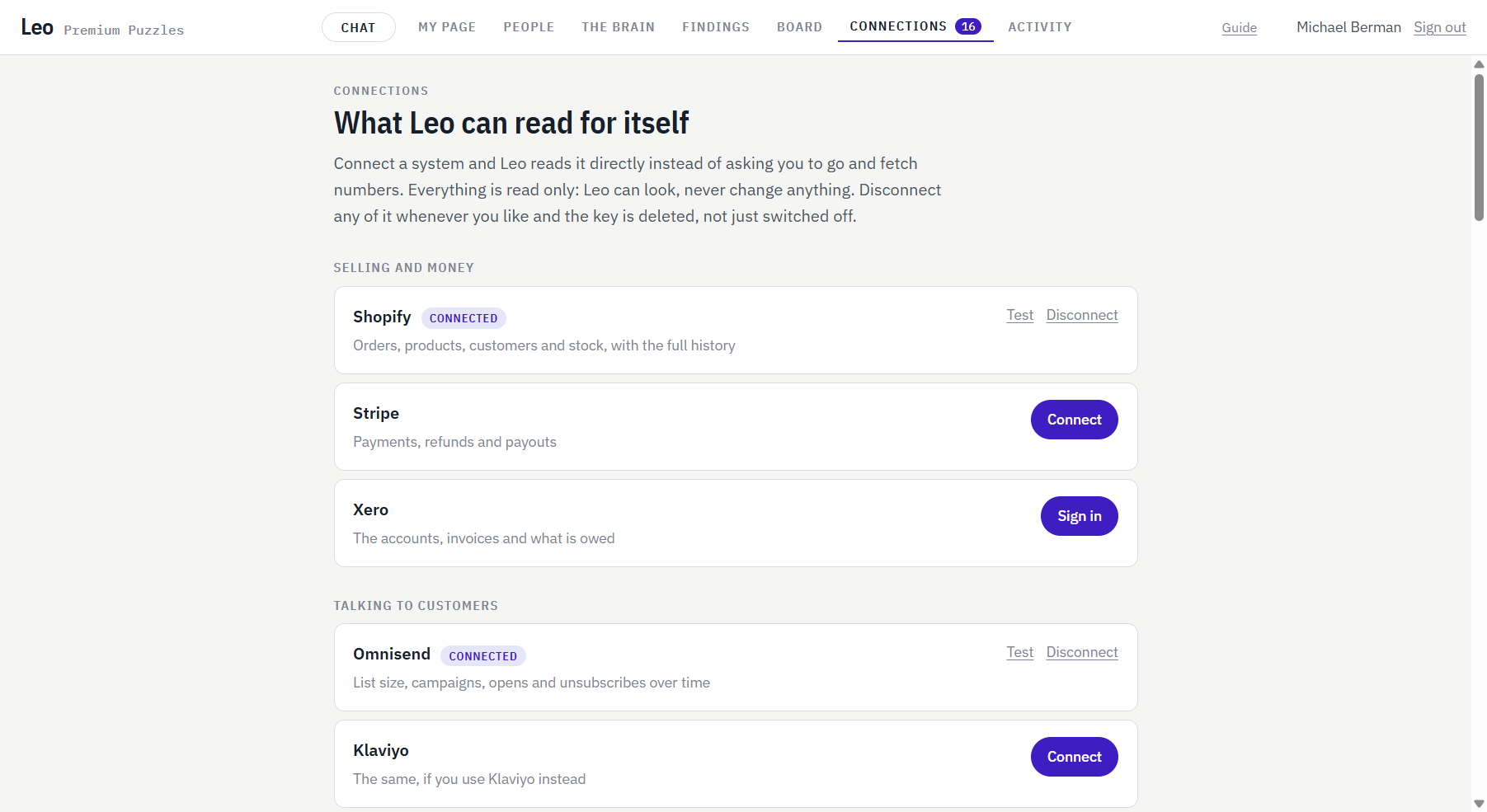
There are three ways in, depending on the tool:
- Sign in. For tools like Google, you approve access on the tool's own screen.
- Paste a key. Leo checks it against the real service straight away and tells you if it works.
- The tool's own connector. Some tools offer a ready made link for AI. Leo uses it.
Press Test at any time to confirm a connection is still alive.
What Leo can and can't do
- Leo reads. It doesn't change anything in the tool. When something needs doing, it goes on the board and waits for your go.
- Your key is locked away. It is encrypted, and it never comes back out to the screen.
- Disconnect deletes. Switch a connection off and the key is removed, not parked.
Which tools
More than fifty, across selling, marketing, finance, support and the tools your team works in. The full list is on the front page, and we are adding to it every week of the beta.
Don't see yours? Tell us when you join and it goes to the top of the list.